
 by Ansel on Jul. 22, 2026 | NO COMMENT
The sudden realization that you just accidentally wiped your call history—taking an important, unsaved number with it—is incredibly stressful. When that number is not saved in your contacts and you have absolutely no backup to fall back on, your own device can feel like a trap. If you are scrambling to figure out how to recover deleted call history on iPhone without backup, take a deep breath. You are not alone, and there is a way out.
Most generic advice pushes you toward standard Apple restores or calling your carrier. But telecom records often miss internet-based calls, and an Apple system restore will completely wipe your current phone data. You likely just want a safe, non-destructive method to get that one crucial phone number back.
Fortunately, a tested solution exists. By taking immediate action right now to protect your device's memory, you can safely retrieve your missing records.
Here is a critical pro-tip that most generic guides miss, and it is a technical reality you must understand immediately: third-party recovery tools depend entirely on whether your deleted data has been overwritten by new activity.
When you accidentally delete items from your recent calls, the iOS operating system does not instantly destroy the underlying text. Instead, it alters the file system index. It marks the physical storage space previously occupied by those deleted recent calls as "available" for new storage. The data remains hidden in your device's internal memory—but it is incredibly fragile. Receiving a new text message, downloading a podcast, or even a background app refreshing can permanently overwrite those invisible memory blocks. This is similar to other no-backup recovery cases, such as trying to recover deleted WhatsApp messages without backup before local traces are overwritten.
To protect your pending overwritten data, you need to freeze the physical state of your device right now.
• Turn on Airplane Mode: Swipe down from the top-right of your screen to open the Control Center and tap the airplane icon. This disconnects the phone from cellular and Wi-Fi networks, stopping new emails, texts, and app data from downloading and taking up memory.
• Close Background Applications: Force-quit any open apps to prevent them from refreshing.
• Do Not Restart Your Phone: A system reboot can trigger background system diagnostic logs and updates that may overwrite the exact memory blocks containing your unsaved client number.
By freezing your device's state immediately, you preserve the exact environment where your missing information is hiding, making a direct scan highly likely to succeed.

Primo iPhone Data Recovery helps you scan and recover lost iPhone data from iOS devices and backups. Click Here to Free Download
Before jumping into any procedure, it is important to objectively evaluate your options. Generally, users facing a missing call log try to choose between contacting their telecom carrier or using a professional data recovery tool.
| Feature / Metric | Telecom Carrier Records | Professional Recovery Scan |
| Success Rate | Moderate (Cellular calls only) | High (If phone was put in Airplane Mode quickly) |
| Data Scope | Standard cellular minutes only | Cellular, VoIP, FaceTime, and WhatsApp |
| Time Cost | High (Days or weeks to process) | Low (Scan finishes in 30-45 minutes) |
| Safety Risk | None to current device data | Read-only; entirely non-destructive |
| Financial Cost | Usually Free | ~$40 (Free to preview, pay to export) |
Your mobile provider tracks your cellular usage primarily for billing purposes. While you can request these logs, this method has a massive blind spot: it completely fails to capture Voice over IP (VoIP) applications. If you made the call over Wi-Fi using an app, your carrier has no record of it. Requesting paper records can also take an impractical amount of time when you need to call a client back today.
A software solution performs a direct scan of the physical memory on your device to locate intact file fragments. Because this procedure requires no prior backups, it is the optimal technique for scenarios where you have no iCloud data to fall back on. If you are unsure whether an old cloud backup may contain call-related records, this article explains what iCloud backup saves before you decide whether a restore is worth the risk. More importantly, it operates as a read-only process, meaning it will not alter or delete any of the files currently on your phone.
Because your call history was cleared and you had no backup, traditional Apple recovery systems are completely ineffective here. For users who may still have a local computer backup, it is useful to understand what iTunes backup saves before choosing between direct scan and backup extraction. This requires relying on a desktop software solution.
For this, we recommend Primo iPhone Data Recovery.
Let's be completely transparent about pricing: Primo is a premium software, and unlocking the final export feature costs around $40. However, you should not buy it blindly. You can download the free trial version of the software to run the deep scan and preview the results. We highly advise that you only hand over your credit card if you physically see your missing phone number in the preview window. If the scan finds nothing, you can uninstall the free trial and you haven't wasted a dime.
Primo bypasses standard user-facing iOS menus to read the raw memory allocation blocks directly, hunting for the specific data fragments left behind after deletion.

Designed to fit effortlessly into your iPhone data recovery.
Download NowBecause your phone is currently in a fragile state (in Airplane Mode), connecting it to your computer requires a few careful physical steps to ensure you don't trigger automatic syncing.
1. Prepare Your Computer First Before plugging in your phone, open your Mac or Windows PC. Ensure that Apple Music, iTunes, or Finder windows are closed so they don't attempt to automatically sync with your device the moment it connects.
2. Connect and Trust the Device Plug your iPhone into your computer using a reliable USB cable. Unlock your iPhone screen. A prompt will appear asking if you want to "Trust This Computer." Tap Trust and enter your device passcode. Leave the phone in Airplane mode.
3. Select and Run the Direct Scan Open the Primo iPhone Data Recovery application. Choose the "Recover from iOS Device" option on the main dashboard. This specific method tells the software to read the phone's internal storage directly. Click 'Scan'.

Recover from iOS Device
4. The Free Selective Preview Once the scanning procedure finishes, navigate to the "Call History" tab on the left sidebar. This is where the free trial proves its worth. You will see the exact dates, times, durations, and phone numbers found in the device's unallocated memory. Look for your missing client number here.
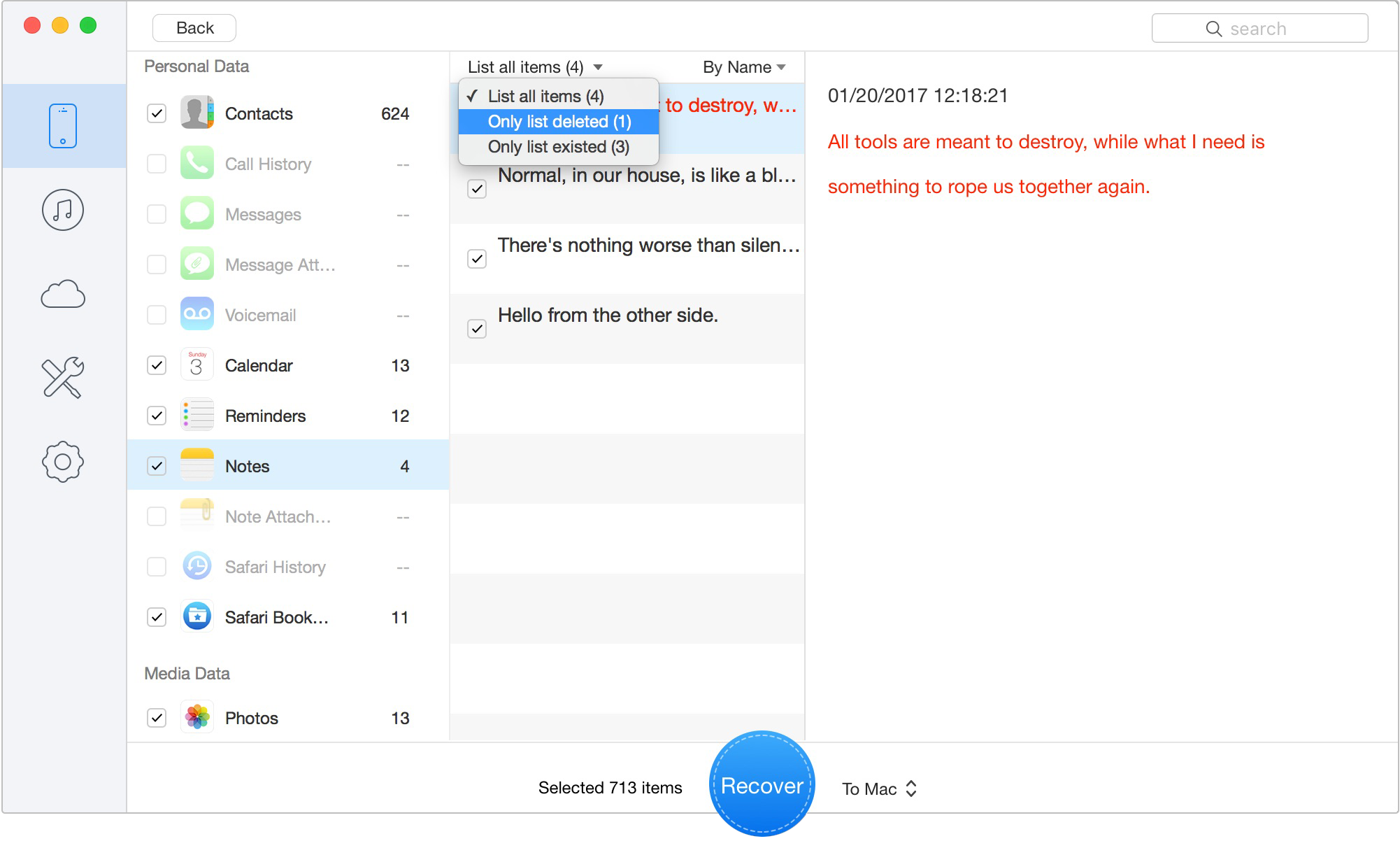
Preview the Scanned iOS Data
5. Export Your Data If—and only if—you see the number you desperately need, you can purchase the license to activate the export feature. Check the boxes next to the specific logs you need, and selectively export the call history directly to your computer as an HTML or CSV file.
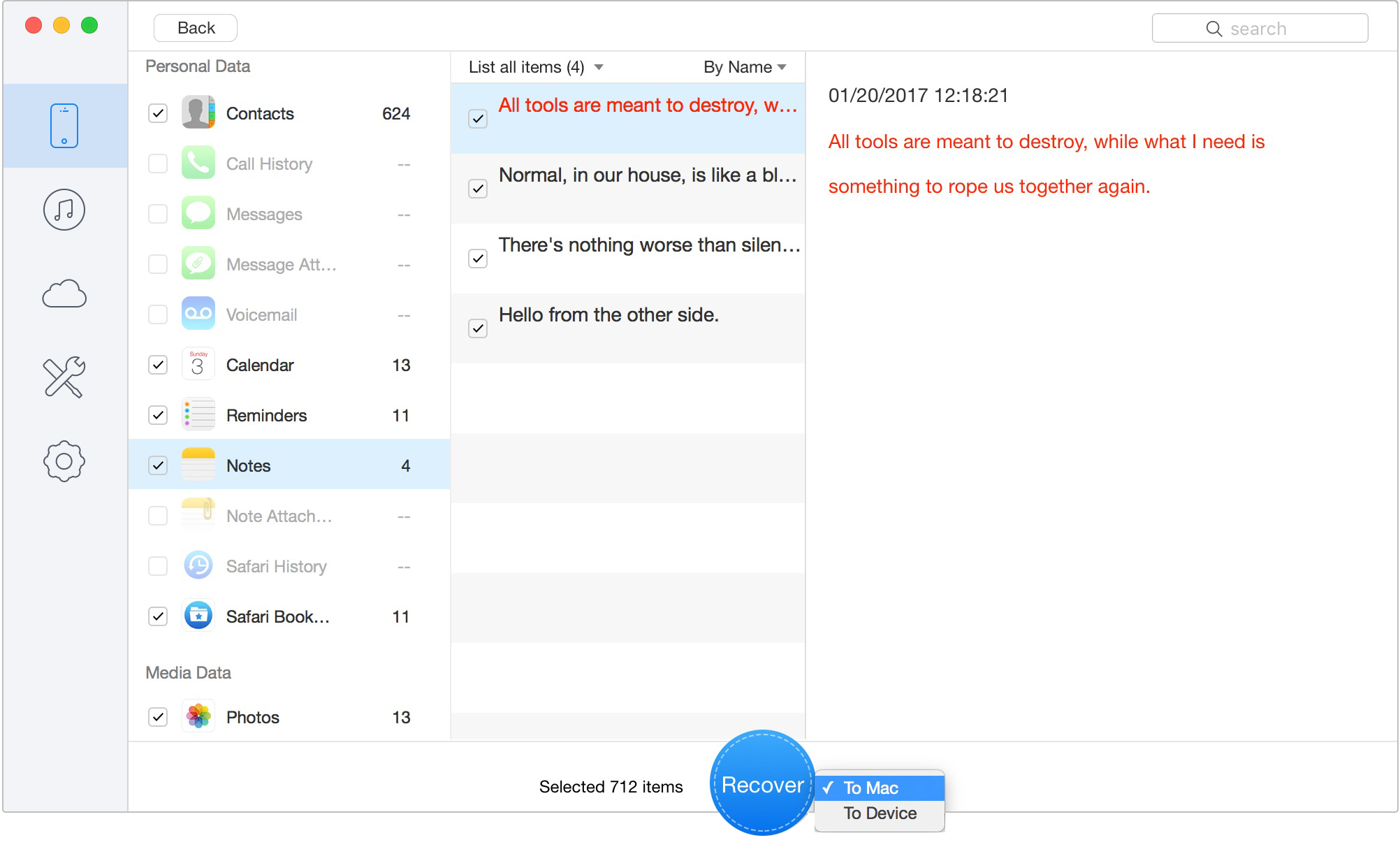
Retrieve Data to Computer or iOS Device
By following this exact procedure, you can safely locate the missing entry on your computer monitor and add it to your permanent contacts.
When trying to restore deleted call log iPhone data under extreme pressure, several technical questions frequently arise. Here are clear, objective answers to help you navigate this.
Q1: Can I recover deleted iPhone call history without backup?
Yes. If you act quickly, you can use a professional desktop data recovery tool to perform a direct scan of your iPhone's internal memory. The absolute key to success is initiating the tool before new incoming data overwrites the hidden file fragments left behind after the deletion occurred.
Q2: How long does iPhone keep deleted call logs?
There is no set time limit in terms of days or hours. The iPhone keeps deleted files in "unallocated memory" indefinitely until that exact physical space is needed for new data. If you download large files or shoot 4K video, the logs could be overwritten in minutes. If you turn on Airplane Mode immediately and stop using the device, they can remain intact for weeks.
Q3: Can my carrier recover deleted FaceTime calls?
No. Your service provider only tracks dialed cellular signals for minute-billing purposes. They have absolutely no visibility into end-to-end encrypted VoIP calls made through third-party applications like FaceTime, WhatsApp, or Telegram.
Q4: Can I recover only call history without restoring the whole iPhone?
Yes, but only by using third-party desktop software. Apple's default iCloud and iTunes backup systems require a total device wipe to apply historical data. Before using that route, check what restoring your iPhone means so you understand how a full restore may replace your current data. Direct scan software allows you to pinpoint, preview, and extract individual call entries without affecting a single file currently sitting on your device.
Q5: What should I do immediately after deletion?
You must stop using the device immediately. Turn on Airplane mode to block incoming cellular and Wi-Fi signals, close all background applications, and avoid restarting the phone until you can physically connect it to a Mac or PC for a direct scan.
To provide the most accurate, safe, and transparent instructions possible, the techniques in this article underwent rigorous hands-on testing in our technical lab.
We abandoned theoretical specs and evaluated these procedures using real-world consumer devices, running current architectures from iOS 16, iOS 17, and the latest public releases of iOS 26. Our tests were independently run across both Windows 11 and macOS operating systems to ensure the recovery software performs consistently across different desktop ecosystems, and to verify exactly how background syncing reacts when a "frozen" phone is plugged in.
Most importantly, we confirmed that the direct scan solution interacts with the Apple file system purely in a "read-only" capacity. We monitored the device's file directory during the 45-minute scan to completely verify that the software poses zero risk of overwriting or deleting your existing device data. By adhering to these tested, proven methods, you maximize your chances of getting your important data back securely.
Primo iPhone Data Recovery helps you scan and recover lost iPhone data from iOS devices and backups. Click Here to Free Download
Losing an important number because your call history was suddenly cleared is not a permanent disaster. When a contact isn't saved and you have no backup, acting quickly is your best and only defense.
Because carrier records have severe limitations regarding modern app-based calling, relying on a non-destructive software scan ensures your device stays completely safe. Remember: put your phone in Airplane Mode immediately, use the free trial of Primo iPhone Data Recovery to preview your device's memory, and only pay for the software if you actually see the missing digits on your screen. Do not let missing data disrupt your work or cause unnecessary panic. Protect your phone's memory today, run a secure direct scan, and regain control of your communications.
Ansel A member of PrimoSync Support Team, passionate for mobile industry and ready to help you with Apple related issues.
Get Up-to-the-minute iPhone Tips & Enjoy Awesome Deals.



Design Simple and Beautiful Software
with Passion & Love

